» Blender 2.63.5
Updated 19:03 May 13th, 2012
79
(453)  66,575

 Blender 2.62


                               Blender's Wiki                                      Donate to the Blender Development Fund


Build with Cuda Kernels = sm_10, sm_11, sm_12, sm_13, sm_20, sm_21  

*For now no sm_30 Kernel in this build*

>-As of Revision 44520 Cycles support for mask layers in render layer, Awesome Brecht!!!-<

>-As of Revision 44521 Render a environment map with equirectangular map, Awesome Brecht!!!-<

>-As of Revision 44523 Cycles has ambient occlusion support + Lighting Pass, Awesome Brecht!!!-<

blendix
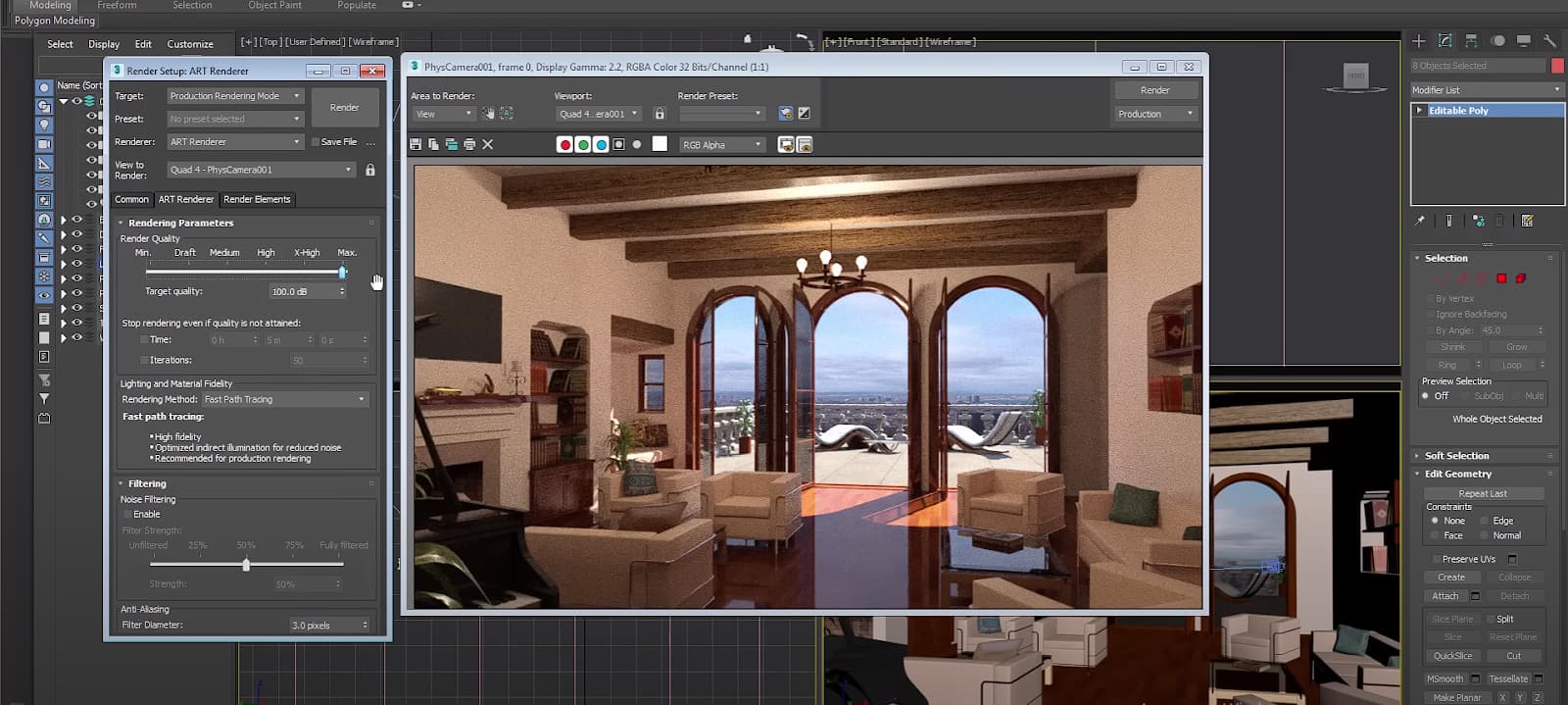
The rendering device is now set in User Preferences/System/Compute Device. This is where you can choose between OpenCL/CUDA and select your GPU.


For cards using under 1.3 Kernels...   Go to the Render tab/ Feature set and select "experimental", this should give you a gpu option. You now have the option to Render with the CPU or GPU.

Here is where you can see which kernel your gpu is using.

Sorry, I don't have multi gpu's to test with :/

Multi Gpu settings


Integrations...

Camara Tracking Integration as of Revision 41610

Cycles as of Revision41670 

Dynamic Paint as of Revision 41723 - GSoC wiki page

Ocean Sim Modifier as of Revision 41780 - Ocean Simulation Wiki + Notes

Remesh Modifier as of Revision 43010 - Remesh Modifier Wiki

Carve Booleans as of Revision 43428 - Carve Booleans Wiki   

UV Tools as of Revision 43460 - UV Tools Wiki

BMesh as of Revision 44256 - BMesh Wiki


Now using 7zip to compress as .7z


Blender 2.62 Release Notes

Blender 2.63 Release Notes

Blender 2.63 release candidates available - Ready for testing :)  

Release Logs...


Build with MSVC 2008 Pro +Cmake on x64 Win7   
Win7.x64-46620


WITH_BF_FFMPEG = True
WITH_BF_OPENAL = True
WITH_BF_GAMEENGINE = True
WITH_BF_PLAYER = True
WITH_BF_SDL = True
WITH_BF_ICONV = True
WITH_BF_COLLADA = True
WITH_BF_SNDFILE = True
WITH_BF_CYCLES = True
WITH_BF_OCEAMSIM = True
WITH_BF_REMESH = True
WITH_BF_CARVE = True
WITH_BF_BMESH = True

WITH_BF_QUICKTIME = False
WITH_BF_JACK= False


Happy Blending...

Cheers, 

 ~Tung

79 Comments so far. Leave yours.
6 days ago
Wow! 2.63.5 already!?

That much closer to Motion Blur, SSS, and Volumetric rendering... :)
7 days ago
Hi Tung,

No it's not just yours. The only one that worked was DingTo's build.
I just updated my drivers & tried the alb3530 build & it still slows down.
I'll try the blender.org builds though & see if those are laggy as well.
Thanks for your time!

kwayde
7 days ago
77 . tungerz (builder)
Hi kwayde,
Have you updated your drivers for your 440?
I noticted mine get slower as well
Is it just this build?
You could try alb3530 build = http://graphicall.org/444 or a daily build from blender.org = http://builder.blender.org/download/ to compare if the problem is with my build.
I'll dig around a bit, to see if there is more issues of this.

Hopefully it gets back up to speed.

Cheers,
~Tung
8 days ago
Hi Tungerz. My pc keeps momentarily freezing when using GPU rendering, even in the preview window. CPU rendering seems to work much faster for me with no freezing isues. I have a GeForce GT 440. I've only found on experimental build from DingTo (41599) that used the GPU render very well and fast as I've seen in all the other vids of Cycles. What do you think the problem might be?
14:09 May 4th, 2012
Seems we're already at 2.63.4(an hour ago) :O
08:16 May 3rd, 2012
@Tung: Haha; we're heading to 2.64 at a very fast rate! :P

@All; but nobody else has that problem with the knife tool? It's messed me up on my re-topo'ing project. :/
04:57 May 3rd, 2012
73 . tungerz (builder)
@ Michael120
Woah, they pushing this set :p now at x.xx.3 :p
@ mmoore500, I saw brecht made a few cycles comments about crashes, hope that it is fix again :)

Happy blending :)

Cheers,
~Tung
16:31 May 2nd, 2012
Hi tungerz,

thanks for posting this test build by DingTo (and of course thank you DingTo)
I tested it and received the same errors within the viewport rendering. Happily I was now able to run Mike Pan's BMW Benchmark. I got what expected, GTX 680 seems to be a little faster as a GTX 570 but the shading/lightning looks a bit weird for example on the rims for now.

http://www.pasteall.org/pic/show.php?id=31171

thanks cekar
13:41 May 2nd, 2012
I've become used to using your builds, pretty much exclusively. However, this latest build is crashing constantly. Most notably if I have cycles set to update in the 3D viewport and I select an empty layer. This causes an instant crash. My comp, win7, i7, GTX 560ti x 2, 12gb ram.
12:39 May 1st, 2012
That was a fast update to a x.xx.2

Anyone else having a problem where the knife won't make straight cuts?

http://www.pasteall.org/pic/31118
11:09 May 1st, 2012
69 . tungerz (builder)
@ cekar,
Once they get all the tweaks set, you'll be cranking out some awesome render speeds.
Check out the specs for the GTX 690 = http://www.geforce.com/whats-new/articles/article-keynote/
3072 Cuda Cores.... Woah!!!

DingTo has been testing the latest 4.2 toolkit release. here is a test build he built with the 3.0 kernel...
http://blender.dingto.org/builds/trunk_win64_46104.7z
hopefully it will serve you well :)

Cheers,
Tung
12:01 April 28th, 2012
Hi tungerz,

I've tried DingTo´s build already immedately after he released it but unfortunately I get errors like this:

rendered viewport:
http://www.pasteall.org/pic/show.php?id=30940

render without errors:
http://www.pasteall.org/pic/show.php?id=30941

I hope there will be soon some new builds with this kernel, unfortunately I'm a noob in this section and I have no idea how to "compile" a build??

Yeah thx for your congrats, I fell in the trap with the great amount of CUDA cores^^..... lessons learned

cheers cekar
09:18 April 28th, 2012
67 . tungerz (builder)
Hiya's cekar,
For now I'm building with Cuda toolkit 4.0, with all kernels except 3.0,
You can try DingTo's build here for 3.0 = http://graphicall.org/888
Hopefully soon I can compile for all kernels
Oh and congrats on getting the GTX 680 :)
Cheers,
~Tung
02:06 April 28th, 2012
Hi all, I can't get cycles running with CUDA. I use a GTX 680 which has CC3.0 stated on Nvidias page. I have installed CUDA Toolkit 4.0.17. When I switch to rendered viewport the error message "CUDA binary kernel for this graphics card compute capability (3.0) not found." Are the new cards GTX6xx already supported? thx
07:45 April 20th, 2012
still have a system crash when I use CUDA GPU render with Ocean modifier... on w7, gtx560, i7-2600 CPU, 16GB ram, last nvidia driver...
maybe must I use a specific cuda driver??
I'm a newbie here... :-)
10:46 April 15th, 2012
@tungerz
Man, I must be sooo blind, sorry for that :S. Was that text and picture always there? Swear I didn't see it!!! I mean I always thought it is some kind of useless demo-screenshot and just scrolled it down... oh and thank you very much it helped :D
08:00 April 15th, 2012
63 . tungerz (builder)
@ ualogic
Hola :)
Have you set the cuda option in User Preferences/System/Compute Device?
This where you can choose between None/CUDA/OpenCl. (Look at the pic above)
Set this to Cuda and then you should see your 8800gt as a option. Then go back to the Render tab and select "experimental", this should give you a gpu option.
Granted tho using a 8800, you wont get all the bells n whistles of a newer one, the developers only support kernels 1.3 +

Hope this helps :)
Cheers,
~Tung
20:20 April 14th, 2012
Hi, I have a problem. Can't get those CPU/GPU menu. Tried to switch experimental/supported but no changes and it always runs cpu rendering. Using win7 64, nvidia drivers v296.10 and 8800GT card. I've already tried gpu rendering in previous version of blender and it was awesome(and it still working with new drivers), up to 2x performance of my q6600 in complex scenes (and more than 4x in standart cube :D) but in new versions I can't see CPU/GPU menu. Please help.
08:11 April 14th, 2012
61 . tungerz (builder)
@ mike1279,
Hi Mike :) ,
I tried to replicate it and was unable to, it seams to work fine for me.. wierd, Sorry cant be much help.

@ Kirado
Hi Kirado :) ( Cool nick btw )
I've always had to set the shaders up, and then switch to textued view, to see textures, in general though, the base grey for models has been standard for me, in the materials tab you can hover over the material color and copy (ctrl +c) then below in settings/viewport color you can paste (ctrl +v), and the color will show in the viewport.

Cheers,
~Tung
16:27 April 12th, 2012
Hi there, thanks for the reply:

With these builds.. I find the opengl material preview in the viewport just defaults to grey, and doesn't pick up my textures or the colours of my shaders. In the version I got from blender.org if I give my object a cycles shader that is red, it shows up as red in the opengl viewport with the material preview setting. Is this a bmesh issue or a build issue?
16:45 April 6th, 2012
Hi, with all the latest build I have the same issue. Once I use shift click on a vertex in editmode, Blender will always add-select verts even when shift is no longer pressed.
11:32 April 3rd, 2012
Thank you.:)
11:11 April 2nd, 2012
57 . tungerz (builder)
Hi Saramary,
If you go to User Preferences/addons/ under the Supported Level in the left panel enable the testing tab, then it will show as a option in the Mesh menu :)
Cheers,
~Tung
09:32 April 2nd, 2012
Hello there!
Can't find LoopTools addon in r45333.
08:48 March 31st, 2012
Game Engine Benchmark
Here is a test scene for game engine if anybody wants to check it out

http://www.pasteall.org/blend/13024
06:32 March 30th, 2012
54 . tungerz (builder)
@ Kirado
Sorry for the problem, should be ok now..
I had tried to update to cuda 4.2 to be able to build the new 3.0 kernel and I had the same problem, it would freeze my system and I had to reboot, so I reverted back to Cuda 4.0 and you should now be able to use R 45288 +

@ uttampal
Do you have it set in File/User Preferences/System, where you can choose between OpenCL/CUDA and devices?
Once you do then in the render tab you have the option for cpu/gpu
Sorry, I'm not much help when it comes to ATI cards, hopefully others with ATI can help, I know OpenCl is still in development and for now may not render the same as cpu

Cheers,
~Tung
05:17 March 30th, 2012
hi, i have just updated the ati drivers and it just shown the open cl, cedar

what it means ??
04:48 March 30th, 2012
hey, i have dell n series 1564 inspiron
Graphics Card Manufacturer Powered by AMD
Graphics Chipset ATI Mobility Radeon HD 5450 Series
Device ID 68E0
Vendor 1002

Subsystem ID 0434
Subsystem Vendor ID 1028

Graphics Bus Capability PCI Express 2.0
Maximum Bus Setting PCI Express 2.0 x16

BIOS Version 012.020.000.032
BIOS Part Number BR037829.001
BIOS Date 2010/06/21

Memory Size 2746 MB
Memory Type HyperMemory

Core Clock in MHz 675 MHz
Memory Clock in MHz 800 MHz

but in compute device its not showing the graphics card

also having same problem in my desktop
as my ati card 4350 hd
03:44 March 30th, 2012
I just get a black window when I run this build. Blender doesn't even start, and can't even look at the prompt window for errors.
Very strange. I have an nvidia GT540m so that's not the issue. Official build work.

Anyone else have the same problem with this build?
10:20 March 8th, 2012
50 . tungerz (builder)
Hi npm1,

I'm running a Nvidia Evga Gtx 560 + 290.53 drivers.
I've always liked Ati products tho, I remember using the all in wonder pro :p

Cheers,
~Tung
07:51 March 8th, 2012
check this out:
http://www.facebook.com/pages/Amdati-Opencl-Blenderheadsblender-Cyclesharmony/331359736899999
07:36 March 8th, 2012
hello LUCINO275 may i ask wich gpu + driver your using ....becuase im also using AMD/ATI gpu
10:08 February 26th, 2012
@Alb

Ah, ok. Thanks. (I sorta knew that, just thought they weren't trunk'ed)
15:30 February 25th, 2012
Michael120: it already has contrib addons.

Since they're now integrated with the trunk, all builds have them.

Go to User Preferences > Addons and enable "Testing"

And that's it...

Best regards
07:11 February 16th, 2012
Hey, you think you could do one with the Contrib. addons?
13:23 February 15th, 2012
Woot! 2.62! Thanks Tungerz!
07:34 February 3rd, 2012
43 . tungerz (builder)
@ samiboy
For cards that require Cuda kernels under 1.3... under the feature set, try setting it to experimental...
http://wiki.blender.org/index.php/Doc:2.6/Manual/Render/Cycles/Experimental_Features

I've seen this before as well untill my 9600 crashed, i was able to get a gtx 560 and I was amazed by how much faster the 560 is compared to the 9600 ( it was faster to render with cpu )

Hope that this helps my friend :)

Cheers,
~Tung
05:12 February 1st, 2012
Thanks, though, for the build. AWE-INSPIRING speed on my production box with two GTX 470s! Thanks Tungerz!
05:10 February 1st, 2012
I know that the easy answer is "download and try it"- which I have. But I'm still getting the CUDA 1.3 error: "Error|CUDA device supported only with compute capability 1.3 or up, found 1.1".....

Running driver version 270.61.....
05:03 February 1st, 2012
Sooo..... my poor, aging Alienware m17x with dual GTX280m gpus should be able to run this, right?
13:42 January 27th, 2012
39 . tungerz (builder)
@ matisso
on r43743 Brecht applied another fix for CUDA render passes, needed to align float4 passes. Lets hope this fixes the problem, I will put together a test scene and give a a try too, I will crank out a fresh build when I get off work in the morning.

@ LUCINO275
Thank you my friend,
Glad to hear the builds are working for your ati card :) yet, the phrase goes to Brecht, for his cycles development. Me, I'm a simple build puppet. :)

@ JamesNZ
Thanks you my friend, glad to see that you are enjoying the builds, may they always serve you well :)

Cheers,

~Tung
12:48 January 27th, 2012
Same issue as in the previous post.

Also, this build stops rendering on my machine at random places, sometimes at the very beginning of render, sometimes well after several hundred or even thousand passes ant returns the following errors in the console:

CUDA error: Unknown error in cuCtxSynchronize()
CUDA error: Unknown error in cuMemFree(cuda_device_ptr(mem.device_pointer))

The second line is being repeated about ten times. After these errors, GPU and memory clocka are severely set back, like it was messing with a driver in some way.

cheers,
Matt
05:41 January 27th, 2012
Rev. 43731 gave me only combined pass, all others were empty (black). I tried with planes with Emission node, as well as Area lights (they use the same node, actually) and no success. Do you have a test scene that renders properly with passes?
03:41 January 27th, 2012
Thank you very much. As a Blender user who has an ATi vga card, i am grateful that i can use opencl gpu render in cycles.
17:28 January 23rd, 2012
Thanks very much for these builds! They work beautifully :D
08:49 January 20th, 2012
34 . tungerz (builder)
@ SergioCajazeiras,
Glad you were able to fix the hotkey. :)
@ dkd and mmoore500
Very Impressive renders times,
I can't wait to be able to get a decent card (card's? hmmm wishful thinking :p) to test with, I'm stuck in the 9600 stone age :p
Brecht, rock with cycles, hope the speeds keep getting faster :)

Cheers,
~Tung
13:29 January 19th, 2012
Wow. I had been working with a build prior to Multi GPU support. I just got this build. It fired up no problem. Tested out a scene I recently rendered with Cycles single GPU and it took about 1/3 of the time! Multi GPU support is fantastic. Can't thank everyone enough. I have GTX 560ti (x2)
12:24 January 19th, 2012
Wow until this morning I thought cycles was already fast with one GPU.

Same render with one EVGA GTX560Ti that took 2 minutes and 47 seconds is down to 1 minute 32 seconds with two cards in SLI - I can highly recommend these cards!

Thank you Blender + Builders!
06:40 January 19th, 2012
I found the reason for the error :)
In the new version was added hotkey "select loop"
Same that uses the hot key ALT + LEFT MOUSE
Just disable this hotkey and everything is normal:)

Very very thanks for all!
Yours are doing the Blender ! be the best tool 3D !
06:01 January 19th, 2012
Hi !
I'm a desperate problem with new versions of Blender!
Input use preferences in Maya presets. functional ok
But when I put in the edit mode the hotkey ALT + LEFT MOUSE does not work.

Thank you!
08:42 December 14th, 2011
Sorry, 2.61 :)

Now to find those addons you had before...
08:42 December 14th, 2011
@tungerz:

It works now with the 1.0 Release! :D (Woot! :D)
08:21 December 14th, 2011
Awesome splash. Thanks for the update tungerz :D
08:54 December 13th, 2011
@tungerz

Some guy on the comments here: http://graphicall.org/builds/444/ also had the same problem, I'm asking him for a link. As for the .blend file, even the default and just trying to render(BI and Cycles, not in the preview
08:34 December 13th, 2011
25 . tungerz (builder)
@ calderongz and Michael120,

What system specs are you 2 running? ex. I'm running a Q6600 quad core, + Win7 x64, 8 gig mem, 9600 gso nvidia card(still gonna upgrade one of these years :p) w/ the latest drivers... I ask sergey about it, and He thinks it is intel based errors, but I did find this on blenders site http://wiki.blender.org/index.php/Extensions:2.5/Py/Scripts/Paint/Palettes
It would help to know how it happens, even better a blend file that will create it, you can upload blend files to http://www.pasteall.org
Hopefully it will get resolved :)
Cheer,
~Tung
09:50 December 12th, 2011
Yesh! Got the error:

"Microsoft Visual C++ Runtime Library

Runtime Error!

Program: C:\Users\[user]\...


This application has requested the Runtime to terminate it in an unusual way.
Please contact the applications's support team for more information"

Blender Console:

"...
Cursor monitor exeption in modal:
'NoneType' object has no attribute 'type'
Fatal Python error: GC object already tracked"

Yes I typed that correctly, with the "modal" and "exeption"(should be model and exception?). Got anything for meh tungerz?
09:42 December 12th, 2011
@Benmart

Its defaulted to CPU rendering, but if you want to change it, on the first tab of the Render settings, or the tab that says "Render", set "Feature Set" to Expiremental, then you can change it to CPU or OpenGL GPU ;)
08:20 December 12th, 2011
How do you get the CPU render to work?
07:51 December 12th, 2011
@calderongz:

I've also had some issues, something with a Microsoft C++ Runtime error, although now I can't find it(or make it happen right now)...althought yours does sound familiar. Could you post whats on the cosole or the whole error? Or is that the whole thing?
15:41 December 11th, 2011
Hi Guys! Can you help me!!!!!!!!!!!! This version and other versions to download for Win 7 + x64 are continually freezing blender interface, this is the error ... wmSubWindowSet 0: does not exist.... Not to do! :(
13:14 November 30th, 2011
Hi all, I have problem with Cycles. When I swith shading to rendered, the button to change CPU/GPU don´t appear. I have Geforce 240M and the latest drivers. Can anyone help me?
PS:Sorry for my bad english
22:07 November 29th, 2011
Hey tungerz!! Woohoo just tried out this build. WOW!! camera tracking has come along!
Love the solution for selecting SAD or KLT, and the solve progress UI. Truly amazing.

but, just like the trunk build (64bit), i can't track at all. Whenever I solve I get a massive error (400+) . Which makes it anoying as I want to get stuck into tracking in this build but it won't allow me :(.

Anyway, I made a video illustrating the steps I take to track, and the error i get.

Hope it helps/

Tek

http://www.youtube.com/watch?v=Ma78frwQtYE
10:11 November 22nd, 2011
@tungerz
yeah, patience is a virtue. I tried running it from a directory with no spaces in between, it seemed to give me a different error this time. It showed "kernel" errors in the console.
Still, thanks for your response. I'll just wait for any further updates about it (or any workarounds if ever other users here come up with any). More power to you. ^^
07:47 November 22nd, 2011
@tungerz....
yeah, it works fine ;-))
thank you very much
06:18 November 22nd, 2011
15 . tungerz (builder)
@ kalifrago,
Follow-up... the bug with the clone-brush in texture paint is fixed as of r42055 thanks to ideasman_42 :)
I've got a build in the oven to serve fresh, should be up soon.
Great catch :)
Cheers,
~Tung
10:21 November 21st, 2011
14 . tungerz (builder)
@ kalifrago,
Hiyas, I posted it as a bug in the bug tracker. I will followup when I hear something.

@rhui-
As far as I know opencl is still a wip... you should be able to render with cpu, It wont be until then that ATI cards will render in Cycles... Wish I could help more, but I don't have a ATI card to test.
I hope others may have more input on this for you.
Cheers,
~Tung
08:01 November 21st, 2011
Hi, I've been downloading other builds here because of the Cycles render which doesn't work on my graphics card. I have two Radeon ati HD 5770s xfx'd. I couldn't make Cycles work despite rolling back drivers. I was wondering if anyone here has run into the same problem and has found a solution for it.

As for my situation, blender kept giving me this error:

"Compiling OpenCL kernel ...
OpenCL Build failed:
Invalid Option: Study/Blender/cycles_x64.Win7-41652/cycles_x64.Win7-41652/2.60/scripts/addons/cycles/kernel (expected - at the beginning)"

I'm looking forward to any helpful response. Thx in advance.
02:53 November 20th, 2011
hello tungerz,
i have a problem with the clone-brush in texture paint....
the clone-brush doesnt identify the second set of uv's to do the cloning....
in every build i've downloaded here, the clone-brush doesn't work.....
in the build 2.60a from blender.org it works...
is it a known bug ?
08:21 November 12th, 2011
11 . tungerz (builder)
Hi holyenigma,
Hmmmm Never thought about it, I'll look into it :)
Cheers,
~Tung
15:57 November 11th, 2011
tungerz, i unziped your build and the BAT3A build.
(i copied his contrib and external scripts, to your build and it works nicely..)

have you ever thought about adding in the contrib and external scripts?
11:01 November 10th, 2011
Cool Cycles and CUDA works now we have it all.. :)
good job team !

now just to make it better(more features, more material presets), and more stability..
19:21 July 19th, 2011
I always use Blender from a folder targeted to portable applications, and it works just well from there...

On Windows 7 x64, and with User Account Control set to max level.
14:26 July 7th, 2011
7 . tungerz (builder)
Hi ryksz,
I will work fine on... c:\program files I had mine on E: and works just as well ( Well atleast no crashes... Knocks on wood). but like you I felt the need to go c:\program files for the Logics :) I think it wood run on a old Tandy computer :p Enjoy
22:30 July 4th, 2011
Hi there
I just bought a Win764bits, the thing is that I used to extract my blender files just on "c:\blender" folder and it worked just fine just like that on my WinXp, I'm doing just the same now. So I was wondering if I Should do this inside c:\program files where the 64bit applications install instead?

Tnx
11:57 June 14th, 2011
Bonsoir
Je rencontre ce probleme
Fatal Python error: Py_Initialize: unable to load the file system codec
LookupError: no codec search functions registered: can't find encoding
15:25 June 12th, 2011
4 . tungerz (builder)
You have 4 folders in BlenderSVN? blender, lib, build, install? Inside lib 2more folders? win64, windows? Ifso you may try to redownload your Win64 directory. You using TortiousSVN?
15:10 June 12th, 2011
I still get those errors ..

D:\BlenderSVN\lib\win64\opencollada\include\COLLADABaseUtils\include\COLLADABUhash_map.h(31) : fatal error C1083: Cannot open include file: 'unordered
_map': No such file or directory
Compiling ==> 'collada.cpp'
scons: *** [D:\BlenderSVN\build\blender25-win64-vc\source\blender\collada\AnimationImporter.obj] Error 2
collada.cpp
D:\BlenderSVN\lib\win64\opencollada\include\COLLADABaseUtils\include\COLLADABUhash_map.h(31) : fatal error C1083: Cannot open include file: 'unordered
_map': No such file or directory
scons: *** [D:\BlenderSVN\build\blender25-win64-vc\source\blender\collada\ArmatureImporter.obj] Error 2
d:\blendersvn\lib\win64\opencollada\include\colladabaseutils\include\COLLADABUhash_map.h(31) : fatal error C1083: Cannot open include file: 'unordered
_map': No such file or directory
scons: *** [D:\BlenderSVN\build\blender25-win64-vc\source\blender\collada\collada.obj] Error 2
scons: building terminated because of errors.

Have to investigate. Thank you Tung
10:53 June 12th, 2011
2 . tungerz (builder)
Hi emt, My config is just a base 64bit config with no quicktime, jack or sndfile = Not available for Win64
build MSVC express with scons. I followed same setup as here. http://wiki.blender.org/index.php/Dev:2.5/Doc/Building_Blender/Windows
07:01 June 12th, 2011
Hey there. I get error with COLLADA set True.. how do you build with it ?
Feeling talkative?
Log in to leave a comment.